

Where can I find a student’s username?
Students logging into BookNook manually will enter their username to login. To view a student’s username, log into your BookNook Staff / Admin account, then click Students along the left menu. Student usernames are listed in the table.
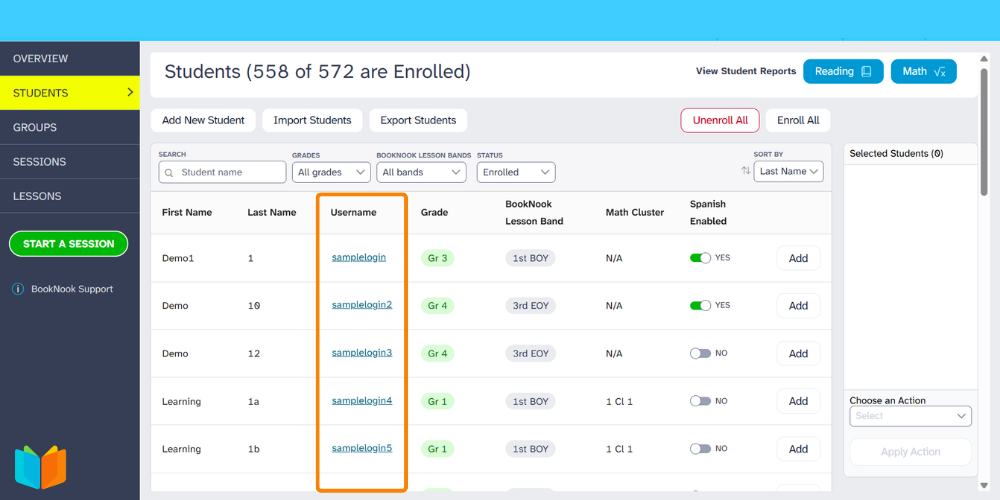
To locate a specific student, use the search bar or navigate through the pages at the bottom of your dashboard to find the specific student.
Student usernames are case sensitve.
Logging in with Clever or ClassLink? Students do not need to manually enter these usernames to log in and will use your district’s portal instead.
Learn more about the BookNook Dashboard and the information available.