


How can I preview the lessons available within the platform?
Log into your BookNook Staff / Admin account, then click Lessons along the left menu to preview all lessons available for each grade level and the associated standards.
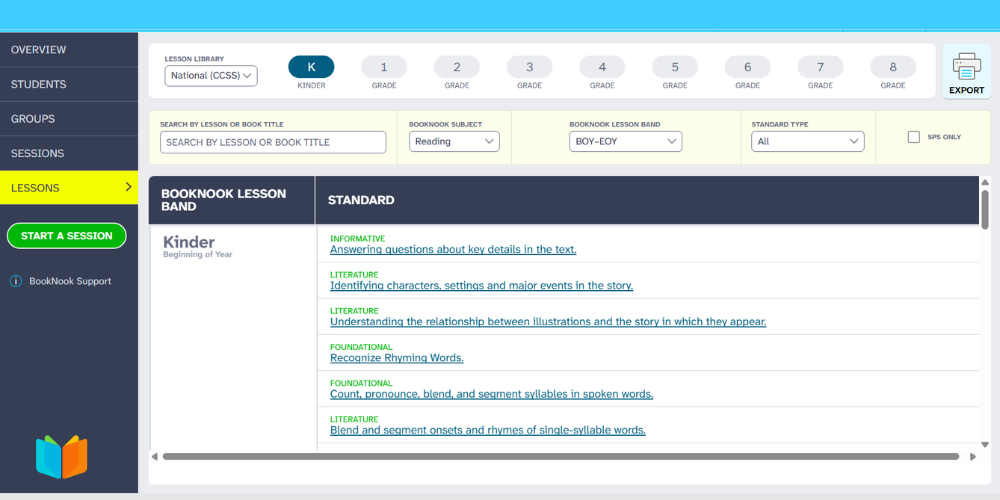
Filter the lessons within a Lesson Library by Lesson, Band, or Standard, and use the Subject filter to view either Reading or Math lesson content.
Learn more about the BookNook Dashboard and the information available.