

BookNook. Grow together. Customer Help.
A tutor wearing a headset in front of a computer screen showing students and learning games, representing remote virtual tutoring.

BookNook Customer Knowledge Base

View Lesson Band / Math Cluster

Two people sitting side-by-side at a desk using laptops with chat and idea icons above them, representing in-person staff tutoring.

How do I see which Lesson Band or Math Cluster a student is currently assigned to?

Log into your BookNook Staff / Admin account, then click Students along the left menu. Here you can see each student’s Lesson Band and/or Math Cluster.
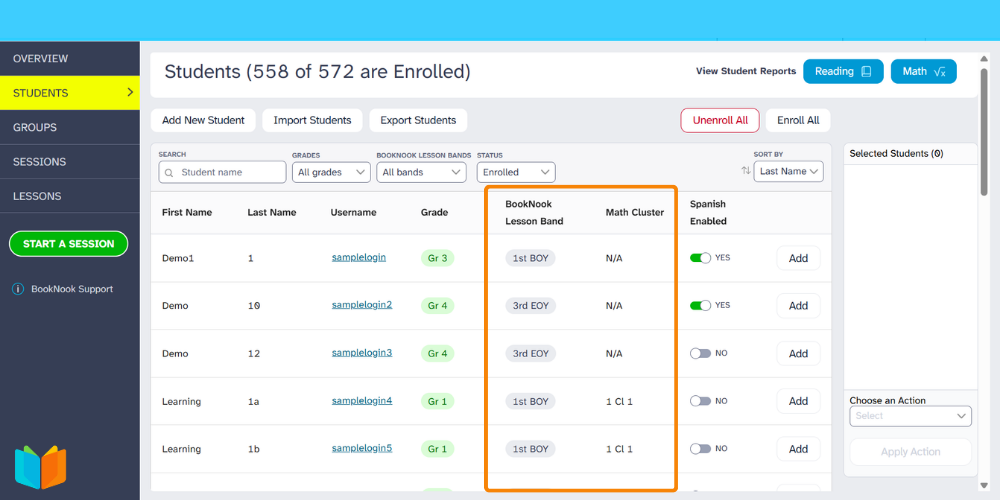
Student list with "BookNook Lesson Band" and "Math Cluster" columns highlighted.

Learn more about the BookNook Dashboard and the information available.