


How do I change or update the Lesson Band for a specific student?
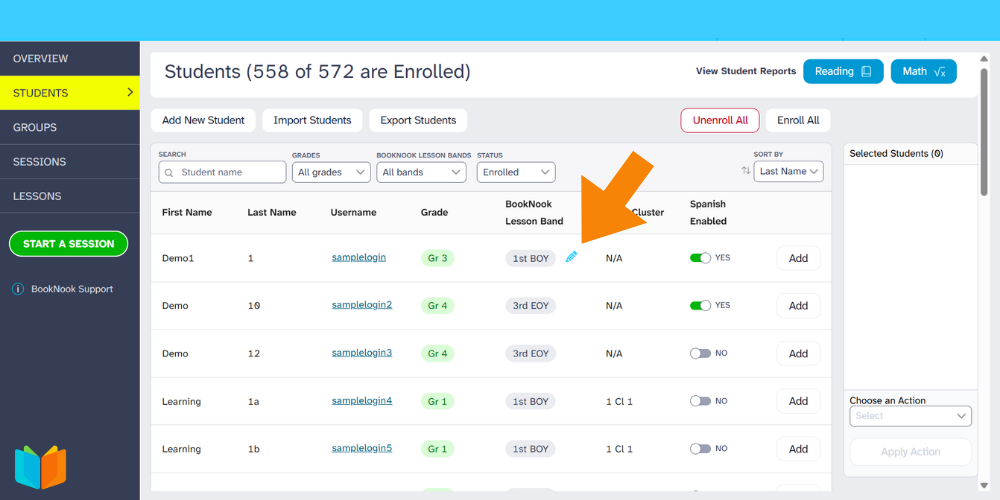
Select the Students tab in the BookNook Platform. Search for the student whose Lesson Band you wish to adjust. Click on the blue pencil when hovering next to the student's current Lesson Band and select the adjusted Lesson Band based on best practices in the Lesson Band Adjustment Recommendations document.
For larger changes or questions, please connect with your Program Manager.
Follow the guidelines in the BookNook Platform – Lesson Band Adjustment Recommendations to learn when and how to adjust a student’s BookNook Lesson Band for occasions where an adjustment may be needed.