

How do I end a Reading session and log out of BookNook?
At the End of the Lesson
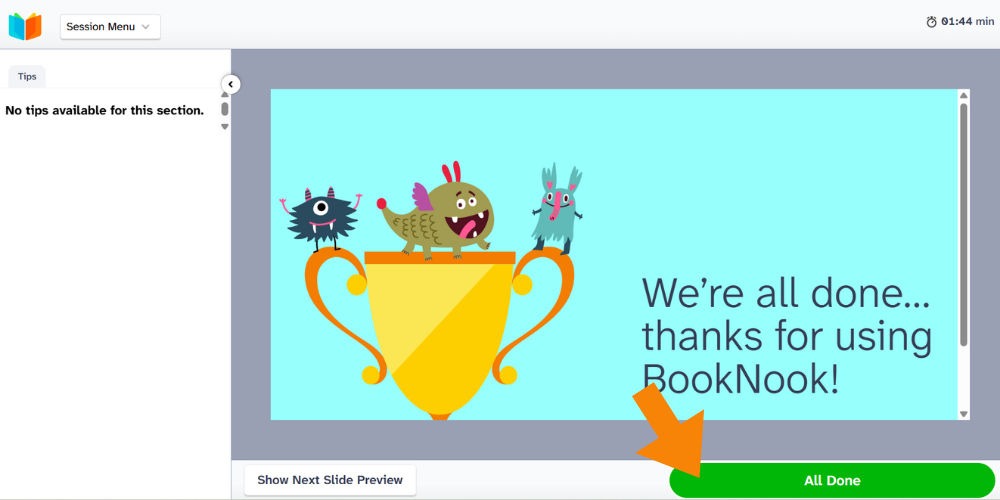
At the end of the session, you will have the option to add notes about each student’s performance. Click the “All Done” button to close out the session and go back to your home screen, or you can start another session.
Before the End of the Lesson
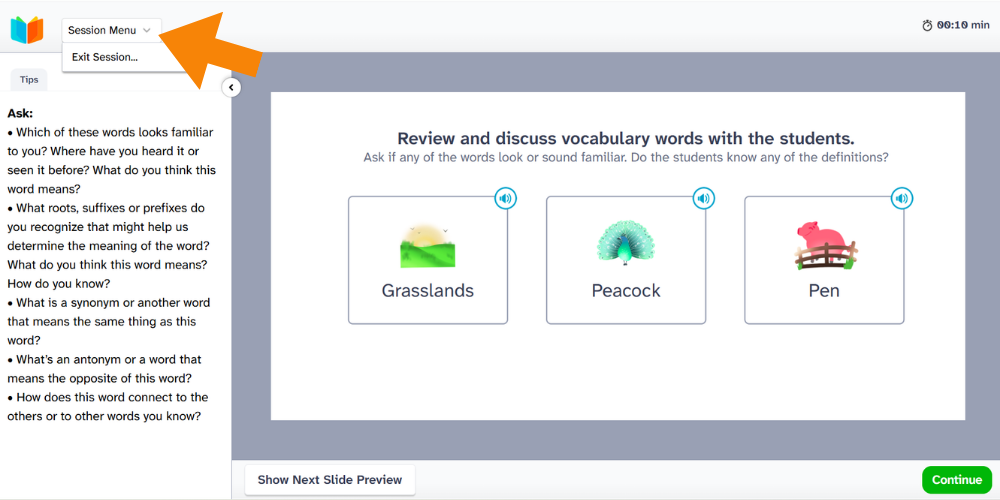
If you need to stop your session before you reach the end, click on the BookNook logo in the top left corner and select “Exit Session.”
You will have 13 days to rejoin the session and complete that lesson. Completing a session will ensure student progress is accurately tracked and informs the lesson recommendation tool.
In the BookNook Dashboard
Click Sign Out in the top-right corner to log out of BookNook.