

BookNook. Grow together. Customer Help.
A tutor wearing a headset in front of a computer screen showing students and learning games, representing remote virtual tutoring.

BookNook Customer Knowledge Base

Session Exit & Logging Off

Two people sitting side-by-side at a desk using laptops with chat and idea icons above them, representing in-person staff tutoring.

How do students exit a session and log out?

At the end of a session, click the BookNook logo in the top-left corner and select Sign out from the dropdown menu.

At the end of a Reading Session – students will see the following screen. Click the BookNook logo and select Sign out:
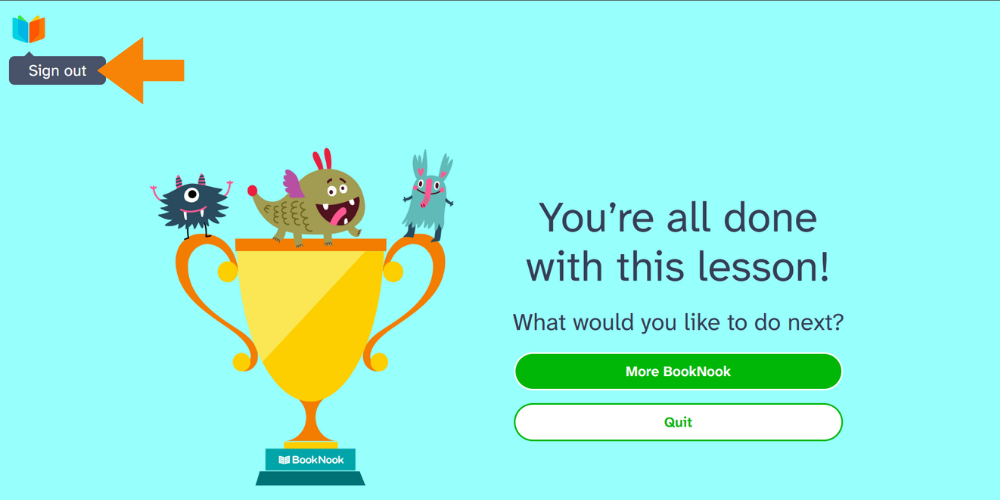
Post-lesson screen with "Sign out," "More BookNook," and "Quit" options.

At the end of a Math Session – students will return to the game screen. Click the BookNook logo and select Sign out:
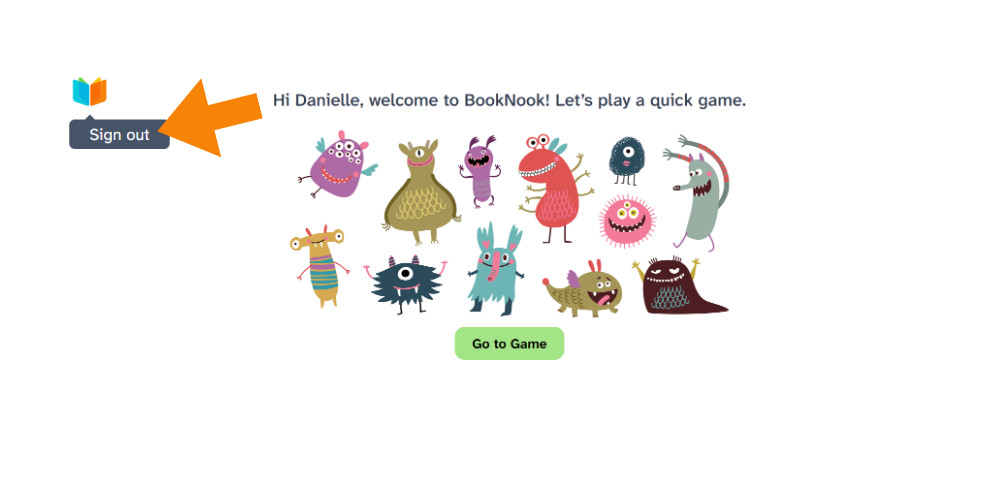
Post-lesson screen with "Sign out," "option