

How do I access Spanish language resources and support within the platform?
Admin-level accounts enable Spanish Support to provide students with written and audio scaffolding, including vocabulary translations in both English and Spanish.
Important Note:
For Spanish support to appear during a live lesson, all students currently in that session must have the feature enabled. Before enabling this feature, we recommend connecting with your Project Manager (PM). They can help ensure that the right students are selected and that the curriculum alignment meets your specific goals.
How to Enable Spanish Support
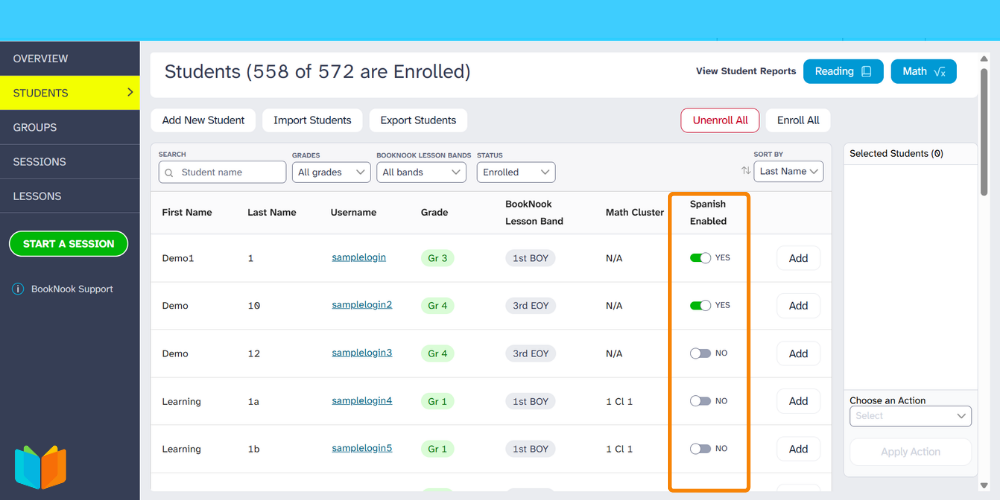
- Log into your BookNook Staff / Admin account, then click Students along the left menu.
- Locate the Student: Use the search bar or navigate through the pages at the bottom of your dashboard to find the specific student.
- Look for the Spanish Enabled column on the far right side of the student's row.
- Select the toggle to display a “YES”.
Learn more about the BookNook Dashboard and the information available.