


How do I view and download reports on student performance and progress?
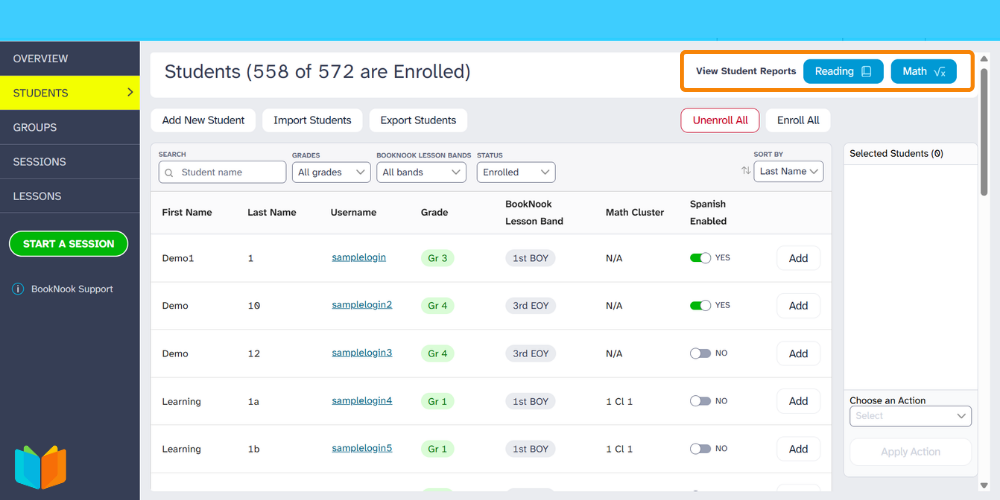
Log into your BookNook Staff / Admin account, then click Students along the left menu. Along the top of the Students page are buttons to open Student Progress Reports. These cumulative reports are available by subject (Reading or Math) and are designed for easy printing and sharing.
How to View and Download Progress Reports
1. Select the Reading or Math button to open the report preview.
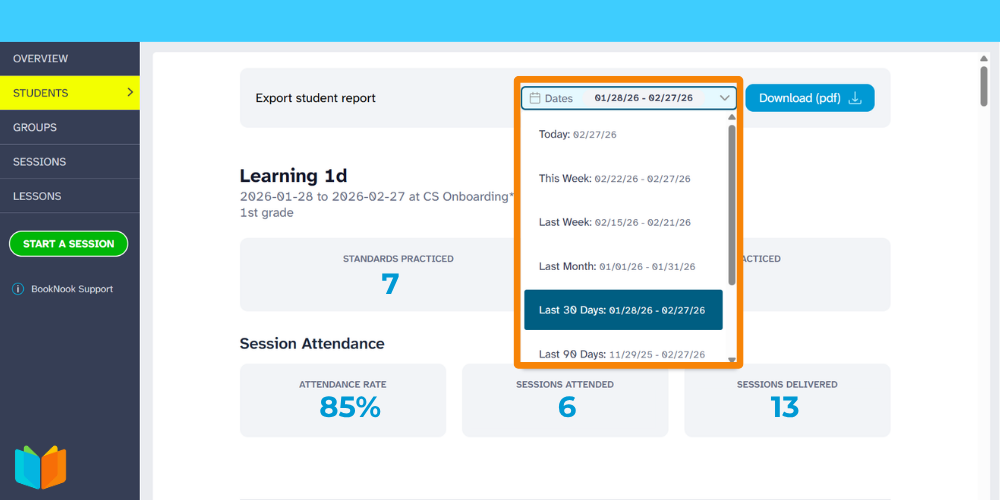
2. Use the Date filter at the top of the page to select your desired timeframe. The preview will update automatically.
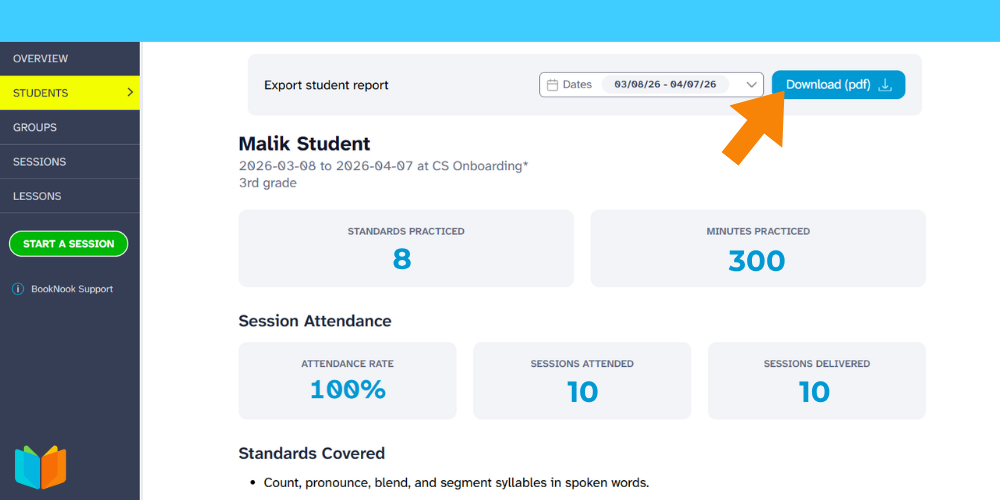
3. Progress Reports can be exported by clicking the Download (pdf) button. This will save the Progress Report file to your computer.
Learn more about the BookNook Dashboard and the information available.