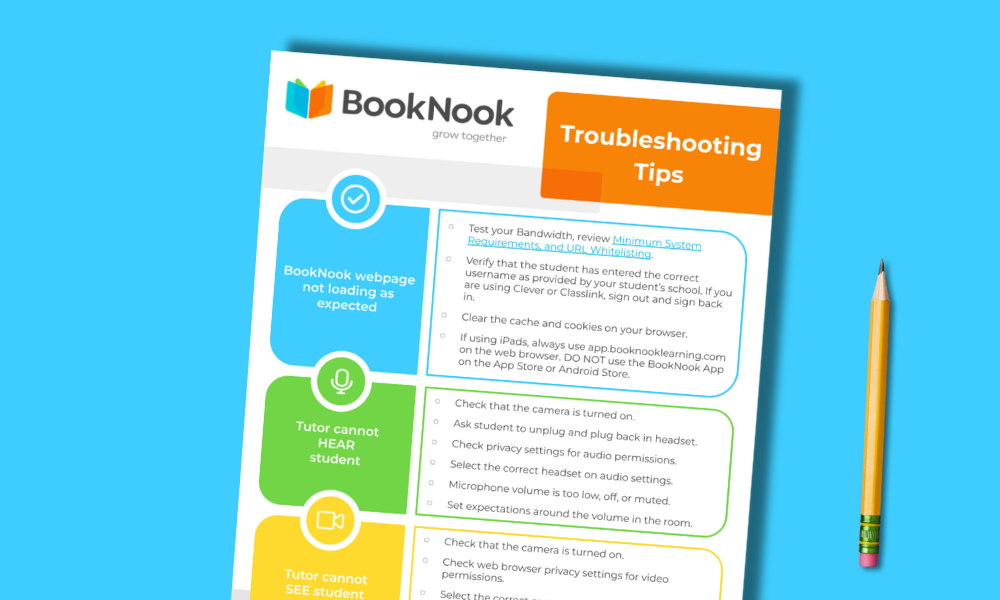
Printable checklist with solutions for common technical issues, ensuring a smooth Virtual Classroom experience.
How to Use this Resource
✔ Keep a printed copy nearby during tutoring sessions so you can quickly reference it if a student experiences a tech issue.
✔ Share the checklist with other supervisors or substitute staff to help maintain consistent support across sessions.
✔ Print out and highlight or mark frequently used tips so they’re easy to find in the moment.
Student Engagement
Empower older or tech-savvy students to act as “Tech Leads” by giving them a copy of this checklist to reference when minor challenges arise. By allowing students to use this guide as a first line of defense, they gain valuable troubleshooting skills and can act as leaders to assist other students. Tech Leads can share their solutions with peers – like how they fixed a muted mic or a frozen screen. This peer-to-peer encouragement turns technical hurdles into opportunities for learning, ensuring every student feels capable.